
Features
The whole loop:
design, checkout, production file.
Everything Stickerfi does, from your customer's first upload to the file on your cutter.
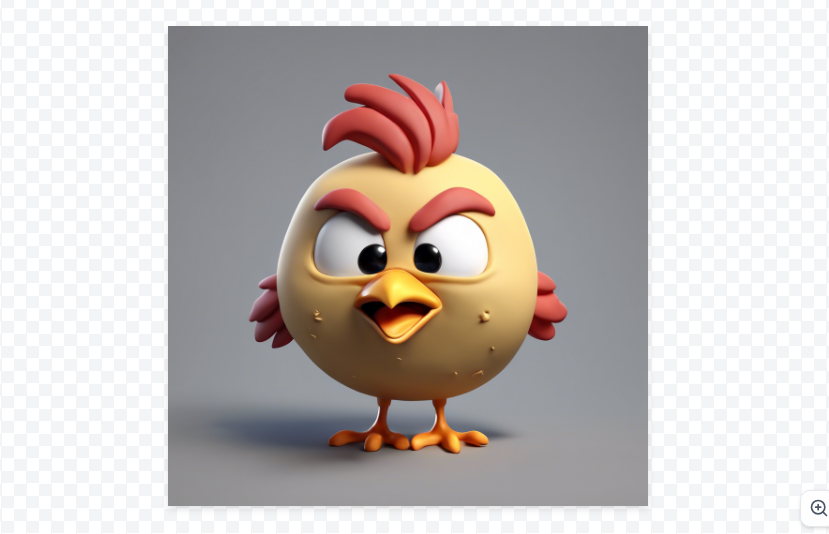
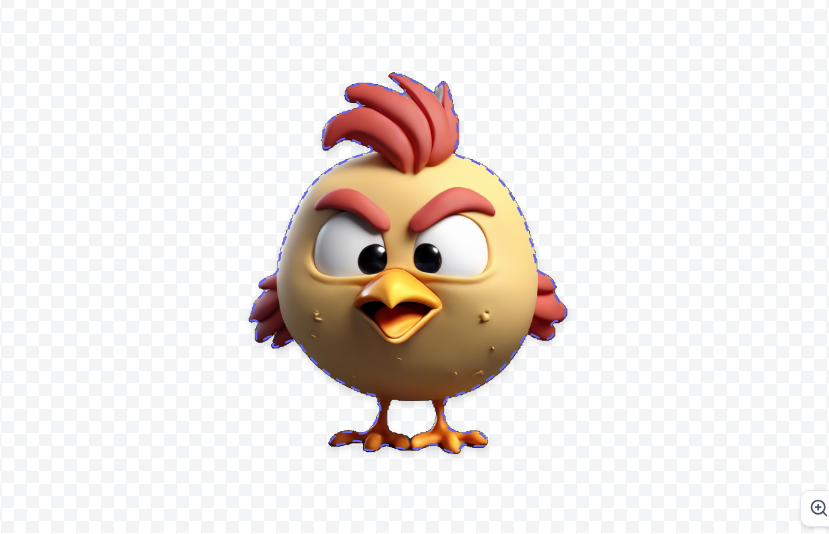
The cut line draws itself.
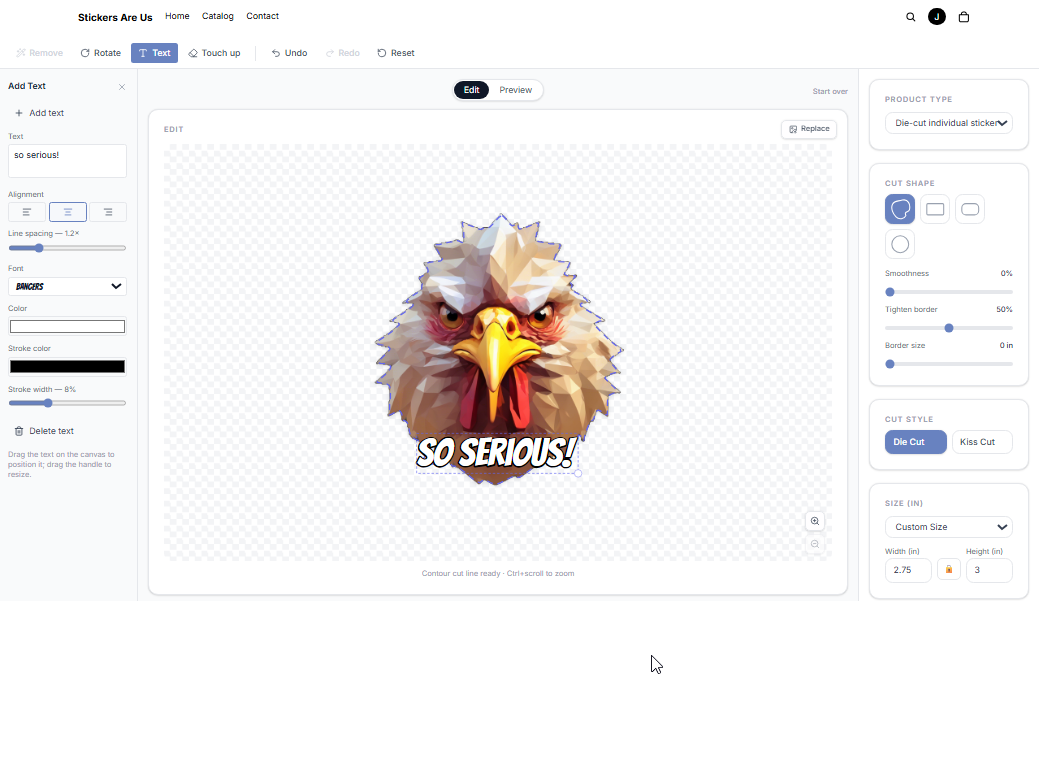
A shopper uploads a picture. The background disappears and a die-cut contour lines traces the subject — automatically.
What matters to your bottom line
Real checkout, on every paid plan
Sticker orders are real products in Shopify's own cart and checkout — no Plus requirement, no third-party site. Everything you already rely on behaves exactly as you expect.
- Discount codes
- Shipping rates
- Taxes
- Reporting
One designer, a whole product range
Create as many sticker products as your range needs — Holographic Stickers, Bumper Stickers, Economy Stickers. Each is a real Shopify product with its own page, photos, collections, and reports, selling only the materials, shapes, cut styles, and sizes you pick. Tick one material and shoppers never see that choice at all. One theme setup covers every product you add.
- Own product page
- Collections
- Search results
- Analytics
- Ads
Your store, your brand
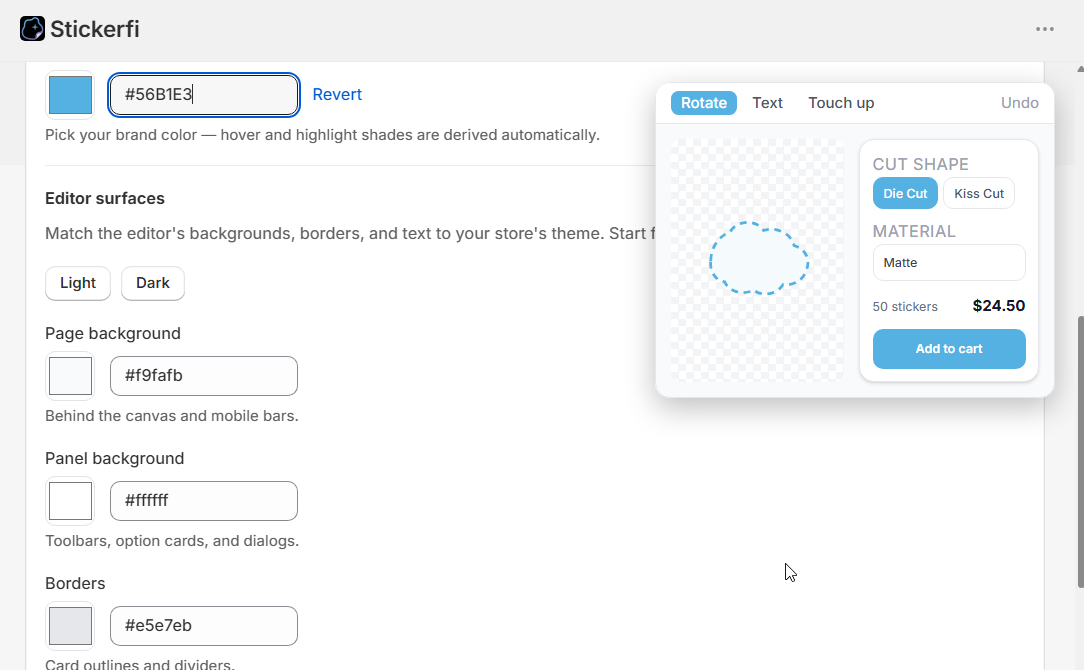
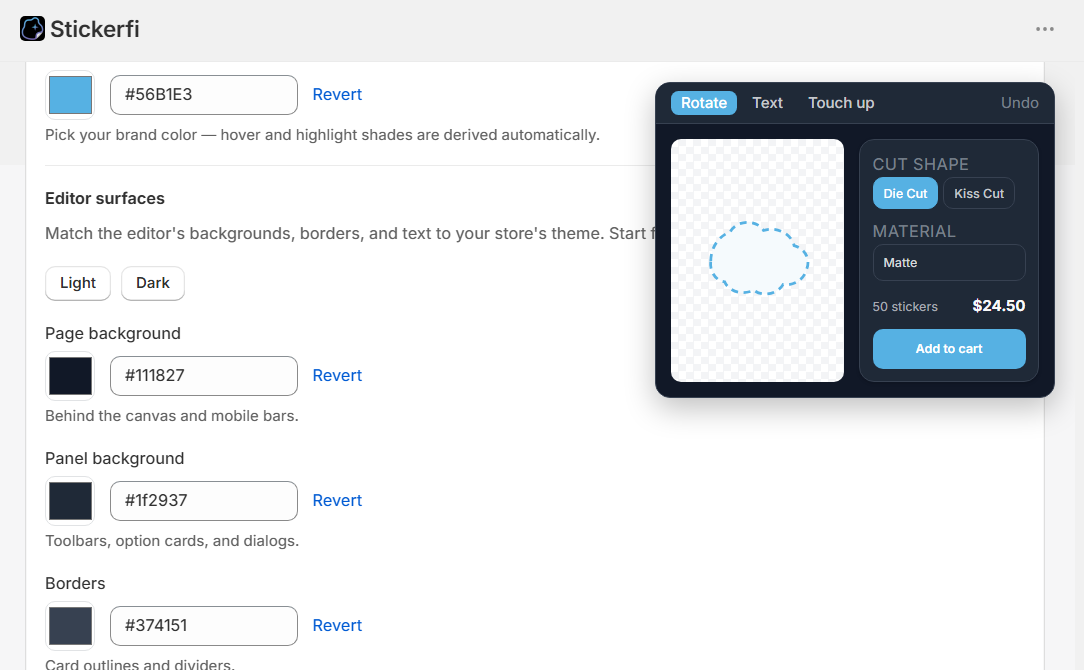
Theme blocks on your own domain. Type your exact brand hex, pick a light or dark base, set corners and fonts — one color in, a coherent theme out. Match your store's look in minutes.
A funnel for your landing pages
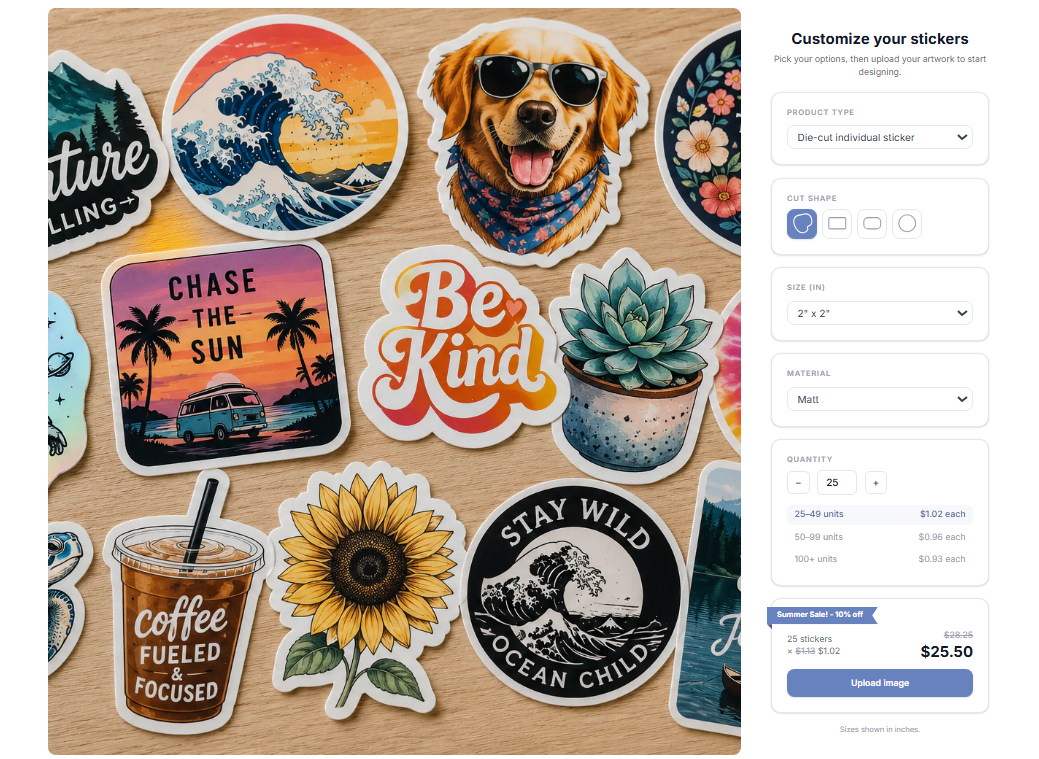
A compact pick-your-options box — shape, size, material, quantity, live price. When the shopper uploads, they land in the full designer, pre-filled.
Catalog & pricing control
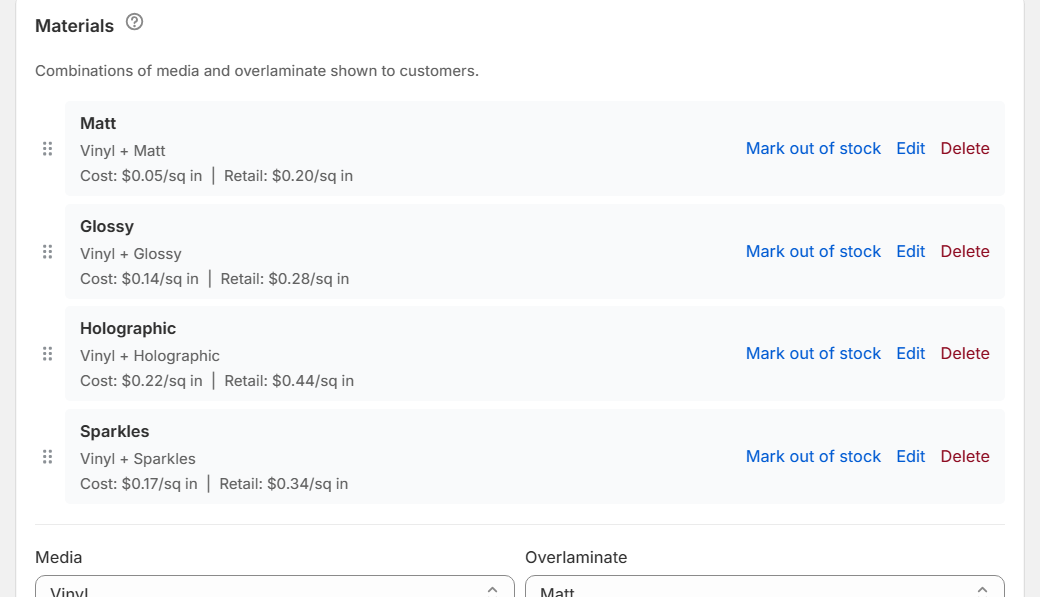
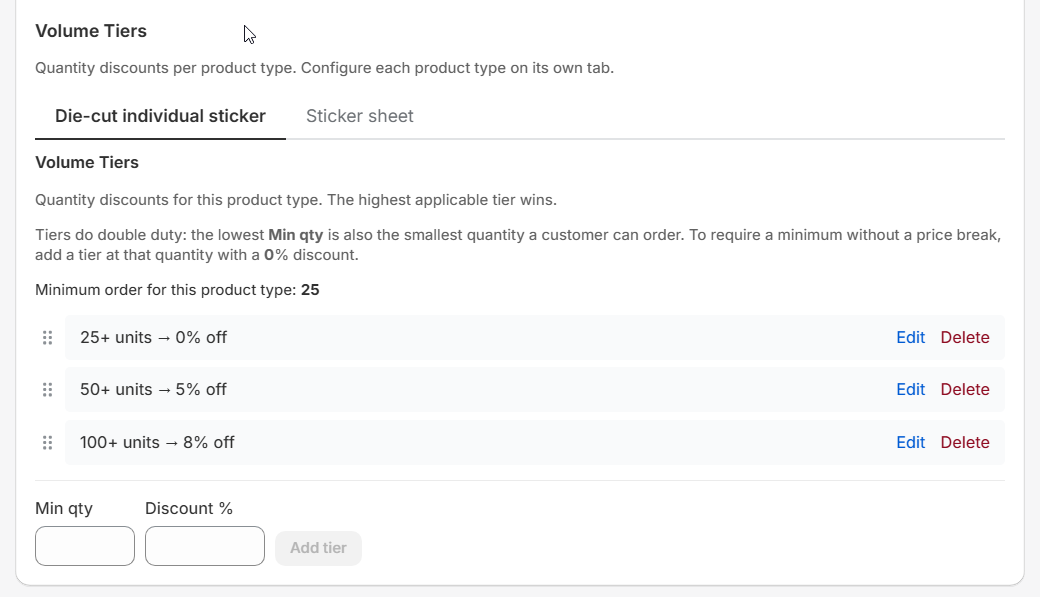
Define sizes, materials, and overlaminates; mark a material out of stock with one switch; set volume tiers, minimum quantities, and waste-aware pricing.
No Plus plan. No third-party site. No design software on either side of the counter.
Their side of the counter
The designer, in detail
Shopper delight is merchant marketing — this is the experience that turns visitors into sticker orders.
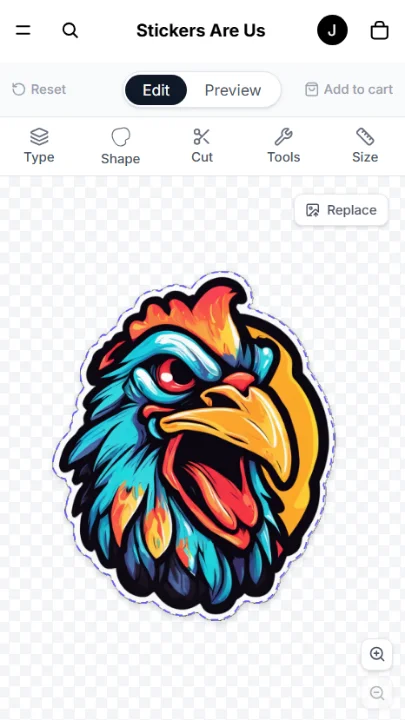
Making it theirs
Four cut shapes — Contour, box, rounded, and circle — with sliders for borders, corners, and contour hug.
Die cut or kiss cut — Cut through, or leave an easy-peel backing with adjustable size.
Sticker sheets — Pick a sheet size and a sticker size — the designer says how many fit.
Styled text & touch-up — Multi-line text with font, color, outline; rotate, flip, undo/redo; zoom to 8× for the fiddly parts.
Any size, your rules — Presets or typed custom dimensions, with your minimums and maximums enforced — or a set list of sizes on products you sell at a fixed size.
A set size, chosen like a product — On a 3 × 11 bumper sticker the frame holds those proportions, and the shopper drags and resizes it over their picture to choose what ends up on the sticker. The sticker really is the size advertised.
Getting the picture right
Edge cleanup, no Photoshop — An eraser rubs away specks and halos; a trim tool cuts off stray pieces in two taps.
Phone photos, no homework — 48-megapixel shots upload as-is and are prepared at full printing sharpness.
Every common file works — PNG, JPG, WEBP, GIF, BMP directly; TIFF and SVG convert automatically. Up to 20 MB.
A quality guardrail — Too low-resolution to print sharply at the chosen size? The shopper is warned before they order.
Sealing the deal
Live pricing, always visible — The price updates with every choice, volume tiers shown.
A realistic tiltable preview — The finished sticker in six finishes, tiltable by mouse or finger with a moving glint.
Work is never lost — Auto-saved drafts survive reloads and restarts — no account needed.
Editable from the cart — Reopen a sticker in the cart, change it, and it updates in place.
Buy by the pack — Where you sell set quantities, shoppers pick from a menu with the total shown for each, and a short badge on the one you want to push.
Say something about the order — An optional note box before Add to Cart, named whatever suits your store. What the shopper writes travels with that design to the cart, the checkout, and the order.
The print room
From order to cutter, in one click
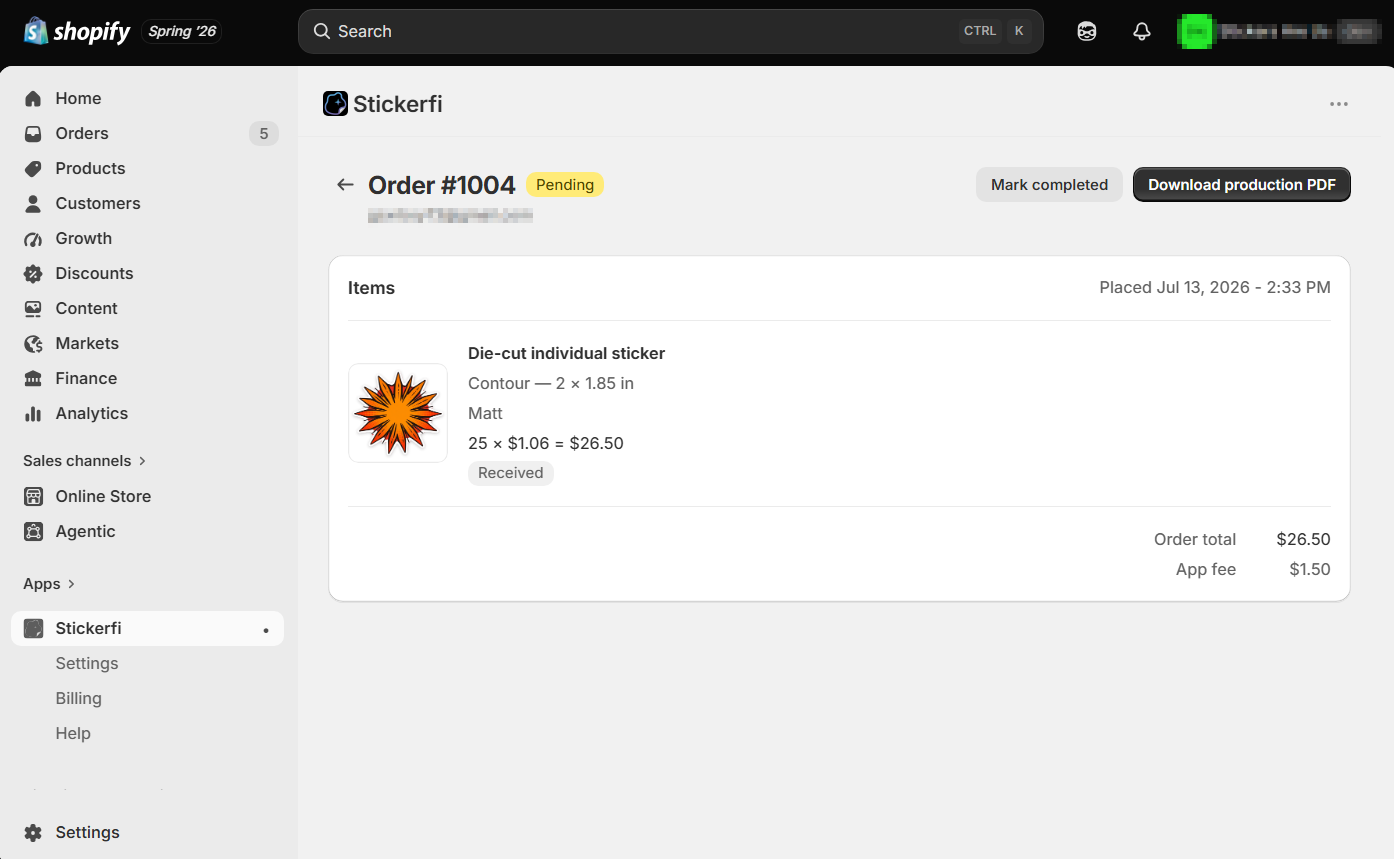
1
Orders arrive sorted
Custom sticker orders appear in the app's dashboard automatically and stay in sync as you fulfill or cancel in Shopify. No double bookkeeping.
2
Download the production PDF
Designs ganged onto the sheet with cut lines included, built from the customer's original full-resolution upload — not a screen-sized copy.
3
Print and cut
Running more than one machine? Assign materials to machines and each order splits into a separate file per machine.
The fine details
Your side of the counter
- Shopify plans
- Every paid Shopify plan — no Plus requirement anywhere.
- Checkout
- Real Shopify products in your store's own cart — discount codes, shipping, taxes, and reporting all behave normally.
- Production output
- Ganged PDF per order with cut lines, built from the original full-resolution upload. Multi-machine shops get one file per machine, routed by material.
- Order dashboard
- Orders appear automatically and stay in sync as you fulfill or cancel in Shopify — no double bookkeeping.
- Catalog & pricing
- Merchant-set sizes, materials, and overlaminates; volume-discount tiers, minimum order quantities, an out-of-stock toggle, an optional per-piece handling charge for labor, and waste-aware pricing. Material rates take up to six decimal places, so per-sticker figures come out exact. Volume discounts come off the material, not the handling charge.
- Sticker products
- As many sticker products as your range needs, each a real Shopify product with its own page, photos, description, collections, and reports. Restrict a product to particular sticker types, materials, shapes, cut styles, sizes, and quantities — enforced on the server, not just hidden in the browser. A new product starts with a neutral placeholder image, so a customer's artwork can never become your product photo. Photos and descriptions stay in Shopify, where you already manage them.
- Set sizes and packs
- Up to 20 set sizes on a product, or a fixed menu of quantities with the total shown for each — one opening the list, one carrying a short badge. Set sizes and typed custom sizes are alternatives on a given product; a shop can offer both, on different products.
- Starting prices
- Every sticker product advertises a From price on collection cards and search results, which the app keeps current as materials, sizes, volume tiers, and sales change. Or set your own figure; a sticker sale still comes off it.
- Theming
- Any accent hex plus five swatches; light or dark base, four surface colors, three corner styles, and interface fonts — all live-previewed. Match your store's look in minutes.
- Sticker sale
- One checkbox, a percentage, and an optional label puts every app sticker on sale — badge, ribbon, or banner styles, with crossed-out prices in the designer, funnel, and cart. The rest of your catalog keeps its prices.
- Setup
- Theme blocks plus a one-time template paste — no code. A self-checking checklist tracks real progress.
- Artwork protection
- After background removal, the browser only receives a downscaled, subtly watermarked working copy — the clean full-resolution file stays on the server and feeds only the print output.
Their side of the counter
- Accepted uploads
- PNG, JPG, WEBP, GIF, BMP directly; TIFF and SVG converted automatically — up to 20 MB per file, enforced in the browser and on the server.
- Phone photos
- 48-megapixel phone shots upload as-is; the designer prepares a print-ready copy automatically.
- Cut options
- Contour, box, rounded, or circle; die-cut or kiss-cut with adjustable backing; single stickers or sheets, with how many fit per sheet shown automatically.
- Sizes
- Preset sizes or typed custom dimensions, within the merchant's minimum and maximum — or, on products sold at set sizes, a fixed list to choose from, with a frame you drag over your picture to pick what ends up on the sticker.
- Quantities
- Type a number, or pick from a set menu of packs with the total shown for each.
- Order notes
- An optional note box before Add to Cart, named by the merchant and holding up to 500 characters. It travels with that design to the cart, the checkout, and the order, and is still there if you reopen the design to edit it. It is never printed on the sticker.
- Material finishes
- Gloss, matte, holographic, glitter, cracked ice, and sparkles — all rendered in the tiltable preview.
- Editing tools
- Styled text (font, color, outline), rotate, flip, undo/redo, plus edge cleanup: an eraser for stray specks and halos and a trim tool, reproduced exactly in the print file.
- Zoom
- Up to 8× — pinch on touch, Ctrl/Cmd+scroll on desktop. Zoom never changes the printed size.
- Low-resolution warning
- Fires below 150 DPI at the chosen print size.
- Live pricing
- Updates instantly with every choice, with volume-discount tiers shown.
- Saved work
- Auto-saves and survives reloads, tab closes, and mobile restarts — no account needed.
- Cart editing
- Reopen a sticker already in the cart, change it, and it updates in place.
- Order confirmation
- Shopify's confirmation email shows an image of the customer's actual design.
- Devices
- Mobile-first designer; tablets get the desktop-style layout in landscape and the touch-first layout in portrait.
See all of it running, live.
The demo is a real store's live configuration — designer, funnel, prices and all.